Saturday, 28 April 2018

Pickaxe Upgrades, Stamina, Consumables


A lot of the features that were mentioned in my initial design have now been implemented and now seemed like the appropriate time to add the win conditions. These win conditions meant adding a timer in game. I experimented with this timer, such as its size, positioning and different colouring. I settled on reducing the size of the milliseconds, and only displaying the appropriate values as necessary i.e. only displaying hours once the Player had been playing for more than one hour.

The win condition for this game was to add the ‘Motherload’, a golden block which is considered to be extremely valuable! Once the Player has collected this, a prompt is added one screen instructing the Player to visit the shop in order to turn it in. Turning this into the shop will end the game and transition the Player to the win screen. This is just a simply screen which tells the Player what their completion time was. This was a tricky solution to find as I didn’t know how to carry data across scenes. The solution to my problem was using a static variable which I found from the StackExchange forum user (Çetin, 17). In his post he explained that the best way to carry data between scenes is to store it on an object which isn’t destroyed when loading a new scene. This object contains a script of static variables. These variables can be accessed from any script without getting a specific reference to it, this is done by calling [script name].[variable name] which in my case, for example I would call PublicData.finalMinutes. Once the Motherload has been handed in, before the new scene is loaded, the timer is paused, and the time is passed from the timer to this script.

Thursday, 19 April 2018

Stamina, Pause Menu

Within the last week or so I have been working on implementing a stamina system. This stamina system gives the Player a reason to go back up to the surface and allows me to implement a use for the consumable items. Upon starting my development of this system, I outlined three potential interactions for this stamina system:

·         Stamina will drain at a steady rate over time.
·         Increased further when mining, even if not hitting a target ore.
·         Increased even more if the Player is actually mining a rock.

In order to get this system to work the way I wanted it to, some of the mining code needed to be restructured as I couldn’t get it to work with the current system. To implement this solution, I first needed to move all of the mining code off of the Player and into a new script. Not only was this for peace of mind and clarity, but also to segregate the process so that the logic could be more easily determined. I separated the mining code into three logical steps:

1.       Every frame, check if the Player is mining.
2.       If they are then run the MineRock() function, which fires a raycast.
3.       If the raycast hits nothing, then stamina will decay at a flat rate but if it did hit, then the decay rate will be determined by the rock that they are mining.


EDIT: shortly after implementing this change and submitting this post I noticed a bug with the stamina drain rate. The stamina decay rate was fluctuating constantly, sometimes it would drain quicker than normal. I couldn’t figure out the exact cause of this problem, but by moving stamina to its own script fixed this issue.

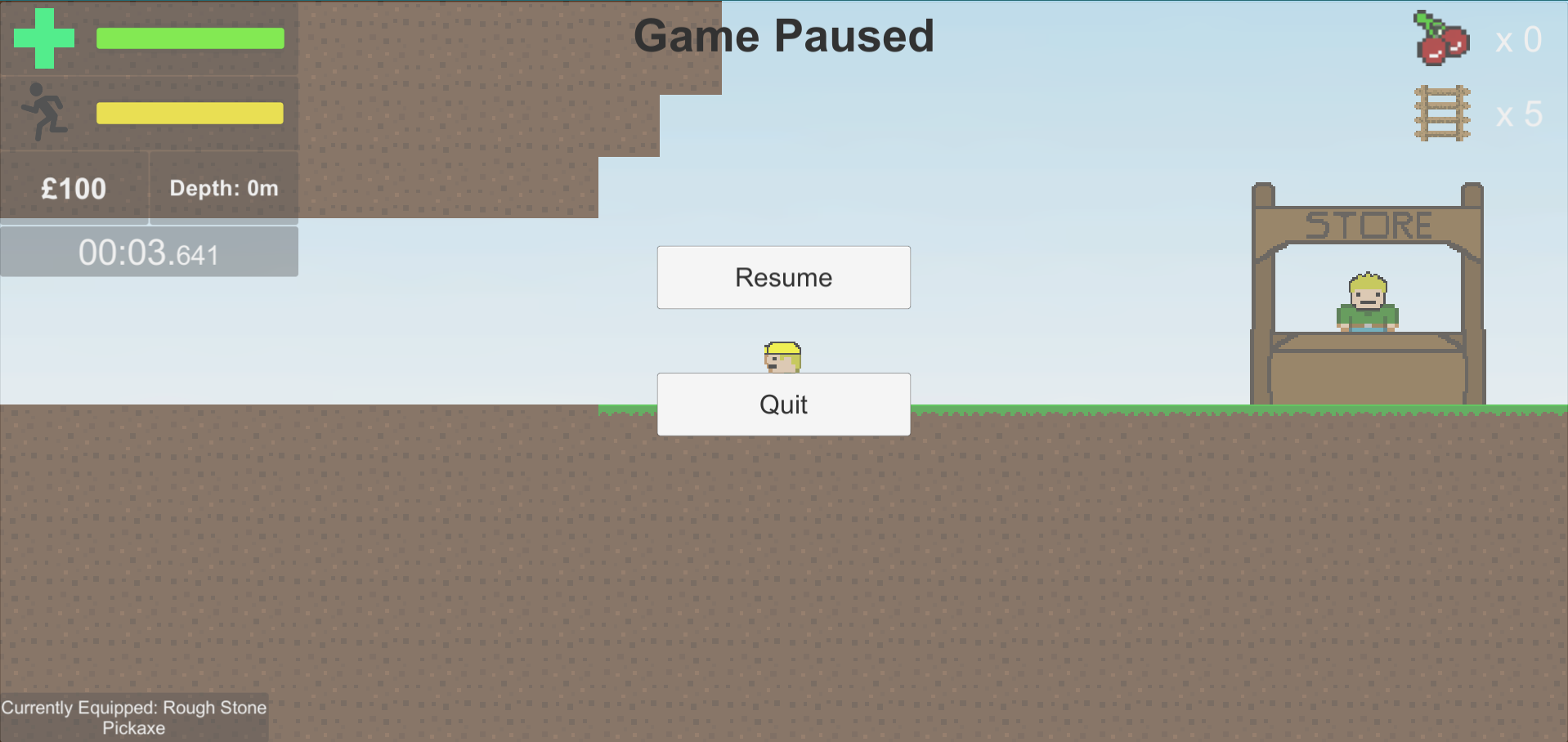
I have also implemented a pause menu as there was no way to pause / exit out of the game up to this point.

Monday, 9 April 2018

Pickaxe Upgrades, Consumables

In its current state, the game feels very… slow. Mining takes forever, especially when mining more valuable blocks. This progression through the game is intended, which is why the Player needs a way to upgrade their mining equipment so that they can mine blocks faster.

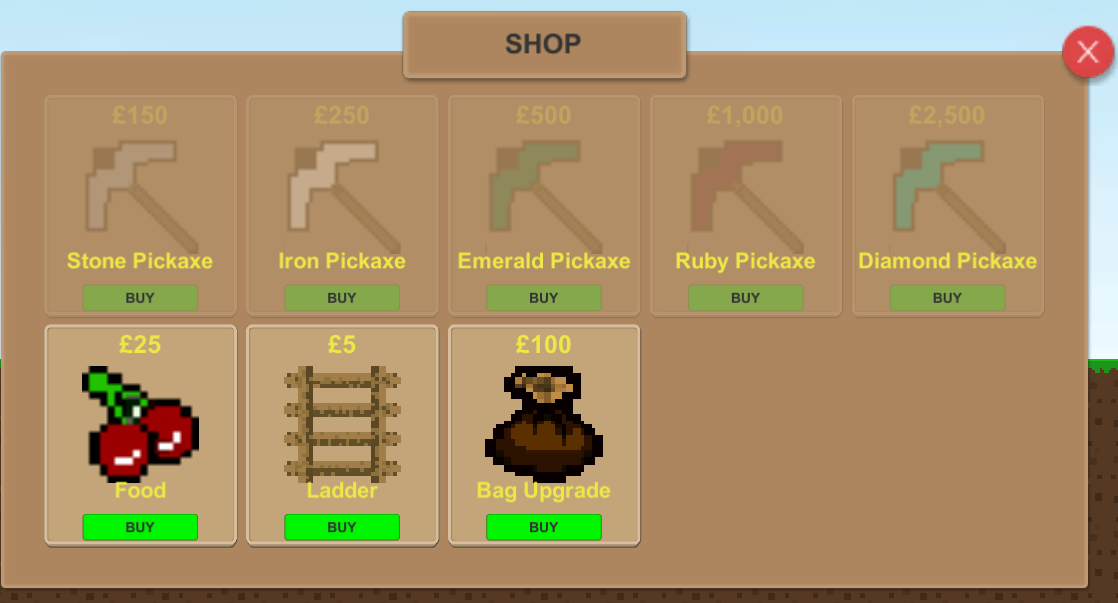
In this section I have added Player pickaxe upgrades which are buyable from the shop. I’ve given these upgrades some basic stats which will need to be more thoroughly tested once the game is in a stable condition -this also goes for the cost. One issue that I had with this system, although not necessarily a problem, is that the objects that are created must all be the same type in order to add them to the inventory. This is because the objects of the list are scriptable objects and aren’t subject to monobehaviours, therefore they don’t have a script attached to them and they don’t have their own behaviours. Because of this, I decided not to add them to any menu or inventory, but rather just display the pickaxe that the Player currently has equipped.


Another unintended repercussion of the inventory system are the consumables and ladders that I have added to the shop, which derive from the same script as the pickaxes and other consumables. These consumables are added to a list which is displayed on-screen in the upper-right hand corner of the screen. When used, the amount (which is stored on the object as quantity) is decremented by 1 for each item used. My solution is this problem, to distinguish which item was consumed is that each item has an enumerated ‘state’ which is defined as a category. Then whenever an item is bought from the shop, the item’s category is checked, which helps to determine the behaviour which will follow. For example, if it’s a pickaxe then the appropriate stats will be applied whereas if it’s a consumable or ladder then the quantity variable on the object is increased.

Thursday, 29 March 2018

Quality of Life, Fleshing out


The game has come a long way up to this point, but there are many issues that have built up that need to be addressed. After giving the game to two people to play test, they have managed to find a few bugs that really need to be fixed before continuing as I don’t want them to build up and be forgotten about. Doing this now brings a nice quality of life to the game, but also allows me to tweak some current features to make the game more playable.

The first issue that needed to be addressed is a major gameplay issue with the ladders. After implementing, I thought that although they didn’t match the grid squares, they couldn’t be placed on top of other objects. This however was not the case, as one tester found that falling and placing resulted being able to place them anywhere. One fix that I put in place immediately is one that stops the Player from placing them while they are not on a ground tile. This means that if they are not standing on a solid tile or ladder, they are not able to place a ladder. I then went on to fix the ladder positioning, meaning that when placed, they couldn’t be in the middle of a square. I did this by taking the player’s x coordinate and flooring it -meaning that the ladder could only be placed on an integer value -which in turn aligned them with the rest of the level assets.

After implementing the quality of life changes I thought it was time to add in a game over screen. This screen will be shown whenever the Player dies. Unfortunately, due to the way I have set it up, it was not possible to create this the way I wanted it due to the time constraints. The end result of what I would have liked was a way of passing the damage type (from DamagePlayer function) to the end game screen. For now, the message simply reads “You have died”. The way I achieved the end screen was from the DamagePlayer function that I created earlier.

Additionally, parts of the game needed fleshing out. Although I had created the sprites for the ores, along with scripts, they didn’t actually do anything as the scripts were empty. This needed changing, so I made sure that all variables within the dirt script were generic, such as the current and maximum health. This means I could just simply copy and paste the code for each ore and change the values for each one accordingly. Initially upon creating the ore, I was going to use prefabs. This system could have been developed much better if I had of known about scriptable objects.

Thursday, 22 March 2018

Player Health, UI and Fall Damage


It’s time to add some danger to the game. As of yet, there are currently no danger elements so the first one I will be implementing will be fall damage. To go along with this, I’ll be updating the UI to add the health, cash and depths displays, as well as preparing it for the upcoming stamina feature.

One thing I’ve learnt over the course of creating this game is that centralisation is a key part of programming -it’s important to keep code in a logical order. With that in mind, I proceeded to handle all damage from the PlayerController script and any incoming damage information would be passed to a function called DamagePlayer (float damageToGive, string damageType). The variables in the brackets are called ‘overloads’. This means that whenever this function is called, it will require that this data is passed to the function. In this instance, I’m passing the amount of damage and the type of damage respectively. With this in place, I could now proceed to developing the fall damage mechanic.

Fall damage is seen in many games. A good example of a fall damage system is from the game Minecraft, where falling from a certain number of blocks in height will result in base fall damage. Falling from any block after the threshold height results in a fixed amount of damage, based on an algorithm. For my game, I won’t include any complex algorithms as that’s not necessary. What I’m looking for is a system which, if falling from a height greater than or equal to 5 units, will result in fall damage equal to (fall distance * fall damage multiplier (1.5)). i.e. falling from a height of 5 will result in 7.5 fall damage. Once the damage has been calculated, it’s then passed through to damagePlayer, which for now, outputs that damage in a Debug.Log.

Implementing fall damage was tough, as I had to come up with a way to calculate the falling damage based on where the Player started and ended. The challenge came when I figured that I needed to update the Player’s current position only when they were on the ground. I achieved this by using a ray cast which fired downwards from the centre of the Player, and whenever a collision is detected, it triggers a bool on the Player to true (isGrounded). I chose to use a ray cast after first attempting to use the box collider to detect collisions using the OnTriggerEnter, OnTriggerStay and OnTriggerExit functions. However, this led to problems where the Player was able to collide with the side of objects, which would set isGrounded to true, therefore nullifying the damage completely if they exploited this. Basically, whenever the Player is standing on an object that’s considered to be ground, the Player’s position is updated to a variable called lastPositionY. Once the Player starts falling, lastPositionY stops getting updated while the player’s current y position is changing. Upon hitting the ground, the function takes the lastpositionY and subtracts that from the player’s current Y position, thus giving me the fall distance. This system gave me the opportunity to use and understand ‘getters and setters’.

Monday, 12 March 2018

Inventory Animation, Depth Counter, Fixed Mining Bug


Currently there are no tell-tale signs when the Player has filled their inventory. Sounds won’t be added until later down the line, so rather than just placing a Debug.Log statement to output it to the console, I figured that now was a good time to add a notification telling the player that there were no more inventory slots available. Up to this point, mining with a full inventory would still destroy the rock, just that no item would be received, I decided to change this while I was at it.

To start with, I added a check within the Mining.cs script, whenever a target has been hit by the ray cast, then the player’s inventory will be checked using the function CheckInventory. If there’s space, then the player can deal damage and upon destroying the rock, the UI is updated, and the Player’s inventory is checked again. The inventory check is simple: if the inventory is full, then a trigger is set to true within the animator on the inventory, and this will trigger the inventory full notification once, which plays the animation. Whenever I’m developing a system such as this, especially where many events are being called from multiple scripts, I try and think about the best way to do it so that events are only fired when they need to be, and if possible, not from multiple places. This not only helps with optimisation but also with problem solving later down the line because it reduces the possible places that something is being called from. Because of this way of thinking, I try to develop systems that don’t require to be called every frame, but rather from a chain of events.

Moving onto the next feature, I added a depth counter. This counter will act as ‘high score’ system as well as giving the player some feedback about what level of danger they are in. The only problem with this system is that because the level is generated from a sprite, I can’t modify the world position. To combat this, I have had to get the player’s y position and subtract 152 from it to set the depth count to zero. I also would have preferred that the depth counter was a positive number, but I was not able to achieve this.

The final update of this section was a bugfix with the mining. This bug occurred if the player changed their mining target without letting go of left-click. The problem: Ores would not regenerate health unless the Player stopped mining completely, and this bug was a tricky one to fix. The solution that I found for it was to store the Player’s target (which is already stored in a variable) into another variable called previousTarget. This way, whenever the player selects a new target, the previous one will regenerate health. At first, I didn’t think this would even work, as when the player’s inventory was full, I was getting a reference exception error, which stated that an object was still trying to be referenced even though it had been destroyed. However, I managed to fix this by setting the previous target to null after regenerating health and checking if (previousTarget != null) meaning that the code would only execute if there was a target in the scene.

Thursday, 1 March 2018

Ladders, Buy Items from Shop, Ore Health Regen


After giving the player the ability to dig down, there was no way back up. This needed changing and to do so, I added ladders. Getting the functionality right for these was tricky, and they still didn’t end up perfect and will need further tweaking down the line. One of the issues I have with them at the moment is that they can be placed almost anywhere, as long as they aren’t on top of another ladder. This means that they aren’t correctly aligned with the world space, which is something that I will look to improve later down the line. For now, they have functionality (mostly) as intended, and fulfil their purpose.
The Ladder uses a box collider that, when colliding with the Player, will trigger a variable to true which allows the Player’s movement to be changed. Once this happens, gravity gets disabled on the Player’s rigid body. For these ladders to be implemented into the game however, they need to be purchased from the shop. This means that the buy menu required setting up.

Setting up the buy menu was much easier than I thought it would be. All I had to do was create a list, which I could then drag items into it from the inspector within Unity. I had a choice between using scriptable objects or prefabs. In this case, seeing as different items would need different data, I chose to use prefabs.

Something I wasn’t happy with was the interaction with ores. After mining them, but not to the point of being destroyed, they would remain on the health that they got down to indefinitely. This meant that it was constantly in one state or another, resulting in many ores being cracked at once. This interaction just didn’t seem to suit the game, so to change I added in a system that regenerates health should the player stop mining.

Download the game and Project Files!

The project files along with any additional documentation are located in this folder on my Google Drive. To download the game please down...